Steel detailing is the centre of all structural BIM project. But the stage requires more attention to detail than people expect. A design may look perfect in the structural BIM model. However, the real test begins once co-ordinated fabrication drawings and material quantities, specifications enter the picture. Fabricators rely on those drawings, BOQ’s, BOM’s to produce members exactly as intended. That is why any inconsistency between model, drawings, quantities become a demanding task.
This is where Autodesk Advance Steel fits naturally within a workflow driven by BIM. Your steel BIM model does more than represent geometry when you work inside a structured BIM environment. It becomes the foundation for shop drawings, fabrication information and quantity take-offs. Everything connects. That connection simplifies detailing and reduces the repetitive work that usually slows down production.
Why Steel Detailing Needs a Structured BIM Workflow
Steel detailing rarely involves simple modelling tasks. All steel detailing involves higher domain knowledge and understanding of the structural system and the software tool that is used. The domain expert manages various components at the same time such as:-
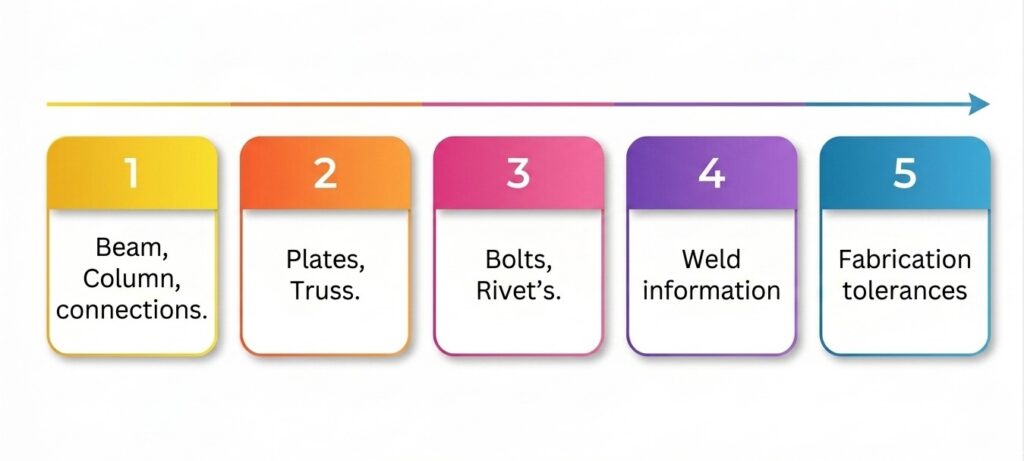
- Beam, Column, connections.
- Plates, Truss.
- Bolts, Rivet’s
- Weld information
- Fabrication tolerances
Each of these elements must align with structural intent, details and fabrication capability.
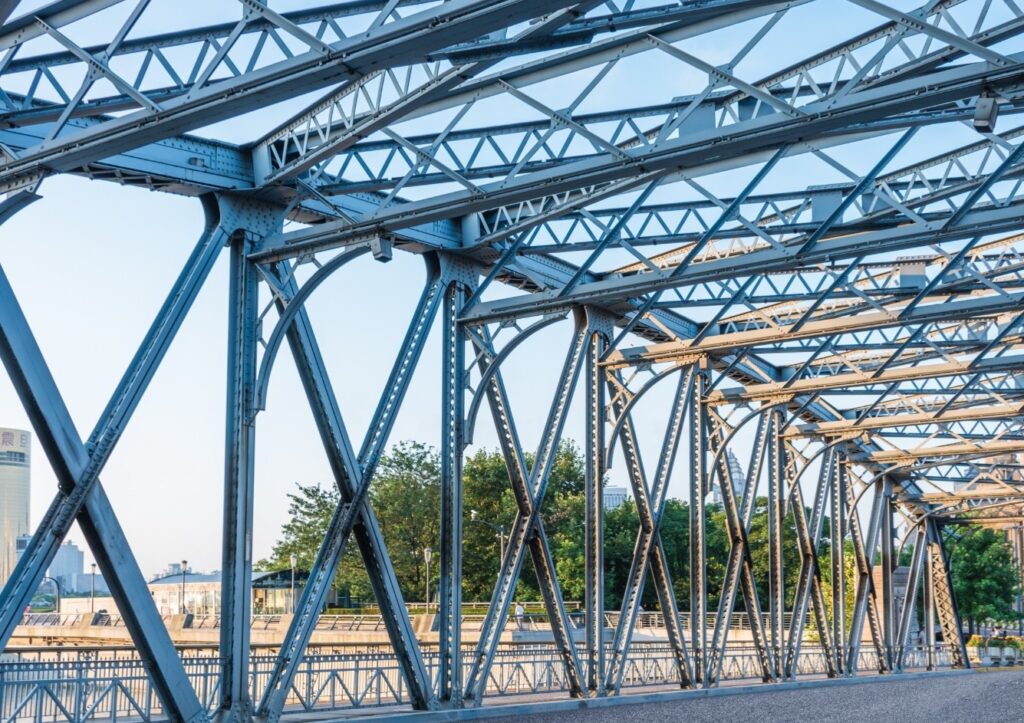
In traditional workflows, you often see drawings and quantity sheets managed separately. That separation causes coordination issues. A small change in the structural 2d drawing forces you to revise drawings and update quantity reports manually. This leads to higher chances of manual error and also does not allow co-ordination.
Whereas, in a BIM-based model, detailing process changes the way information flows across the project. Your steel model stores member properties, connection details, material specifications, section size and fabrication parameters inside one coordinated environment. This can also be used for overall co-ordination with other disciplines. Once this structure is mature in Autodesk Revit, Advance Steel can further detail that model and create fabrication-ready deliverables, in sheets and quantities.
The difference becomes clear during project coordination. Structural engineers, detailers and fabricators begin working from the same information source instead of multiple disconnected files, and the BIM Structure model grows its detailing level during its journey towards fabrication model and drawings.
Intelligent Steel Modelling with Autodesk Advance Steel
Advance Steel from Autodesk introduces specialized modelling tools created for structural steel fabrication. You do not work with generic modelling objects. Instead, you model with intelligent steel components that already contain parameters for connections, profiles, and fabrication details.
That built-in intelligence allows the software to connect modelling tasks directly with downstream documentation. These modeling elements are also parametric and we can add smart meta data in each element.
Within a typical detailing workflow, you can handle several tasks more efficiently: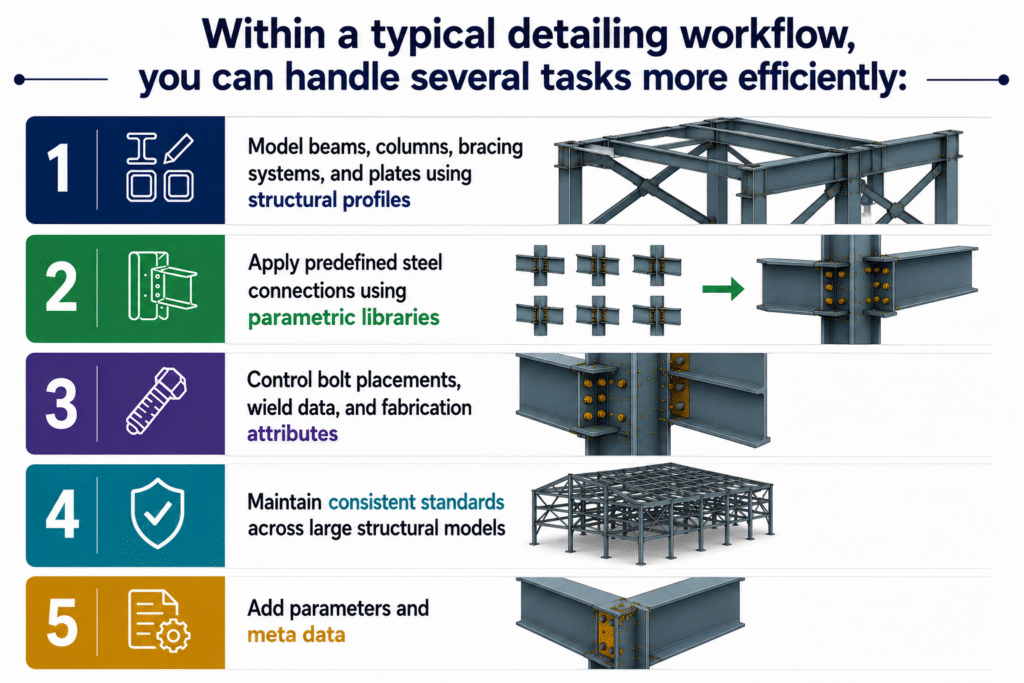
- Model beams, columns, bracing systems, and plates using structural profiles
- Apply predefined steel connections using parametric libraries
- Control bolt placements, wield data, and fabrication attributes
- Maintain consistent standards across large structural models
- Add parameters and meta data.
Once these components exist inside the model, the information flows directly into drawings and quantity reports. Detailers spend less time rebuilding information manually, which helps maintain consistency, accuracy across project deliverables.
Producing Shop Drawings Directly from the Steel Model
Shop drawings remain one of the most sensitive deliverables within structural steel projects. Fabrication teams rely on these drawings to cut, drill, and assemble members precisely. If a drawing contains incomplete or outdated information, production delays appear almost immediately. This affects overall project cost and budget planning.
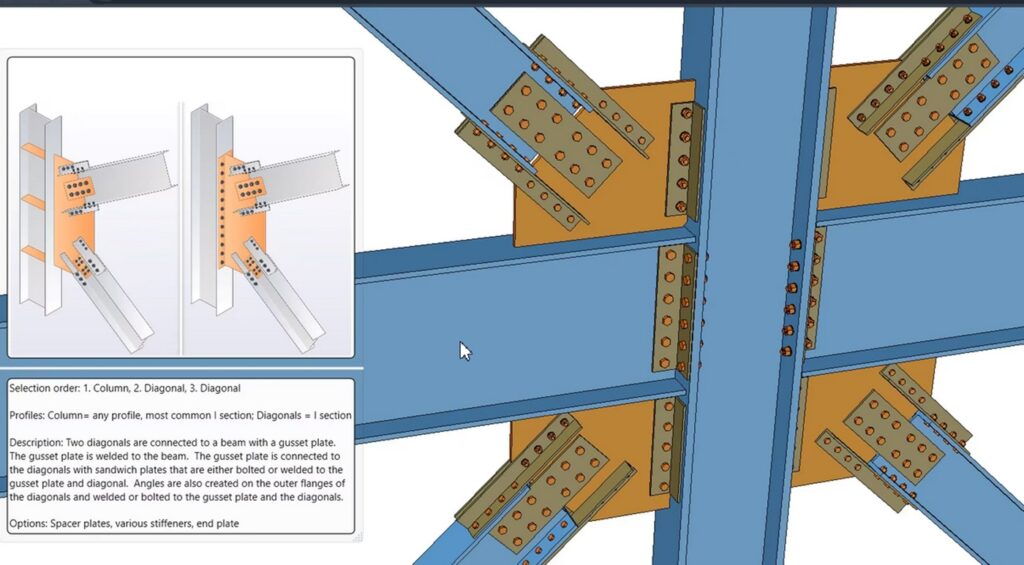
Steel Beam – Column Junction Detailed in a Model
Advance Steel simplifies this stage by generating shop drawings from the model itself. Every plate dimension, bolt position, and member length etc. already exists within the digital model. The software extracts that information and converts it into fabrication drawings.
You can produce several types of shop drawings directly from the model:
- Single-part drawings for individual steel components
- Assembly drawings that show connections between members
- General arrangement drawings for project coordination
- Detailed connection drawings for fabrication clarity
- Details Fabrication drawings with smart BOQ’s and BOM’s.
The practical advantage becomes obvious during revisions. If the model changes, the drawings, BOQ, BOM update along with it. Detailers do not have to spend hours searching through dozens of sheets to adjust dimensions manually.
Smart BOQ’s and BOM’s with Autodesk Advance Steel.
Material quantities always carry financial and logistical importance within construction projects. Procurement teams depend on accurate quantity data for budgeting and material planning.
Traditional quantity take-offs often involve manual calculations from drawings or spreadsheets. That approach works on small projects, yet it quickly becomes inefficient once structural models grow larger.
Advance Steel links quantity information directly to the steel model. Every beam, plate, bolt, and connection component contributes to the Bill of Quantities automatically.
Typical BOQ outputs generated from the model includes:
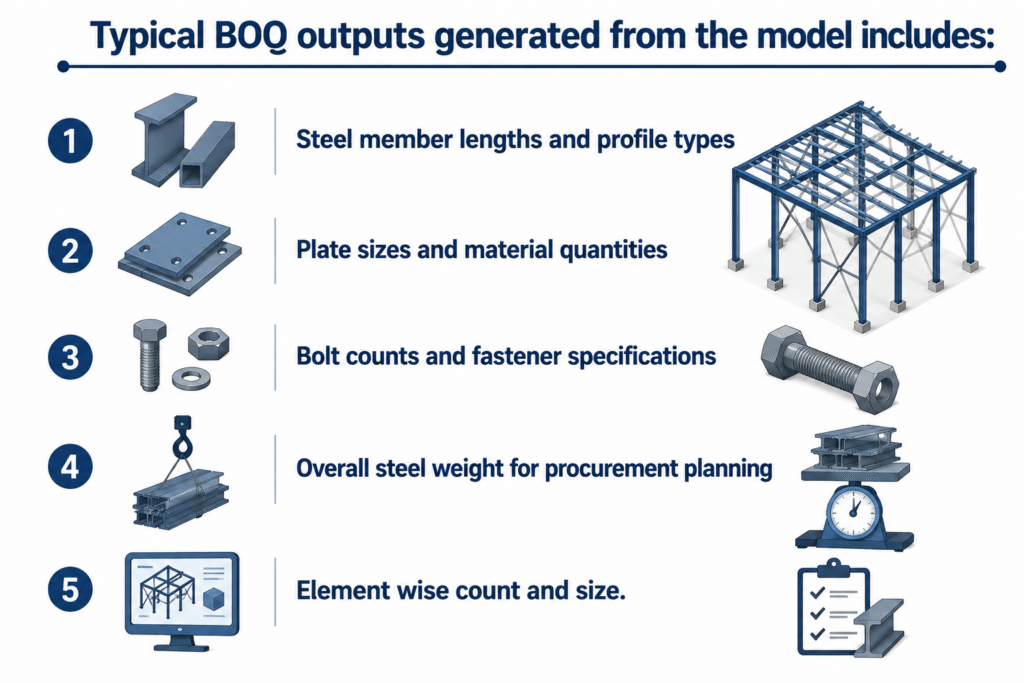
- Steel member lengths and profile types
- Plate sizes and material quantities
- Bolt counts and fastener specifications
- Overall steel weight for procurement planning
- Element wise count and size.
Whenever the model updates, the BOQ updates alongside it. That connection keeps material reports aligned with the latest project information.
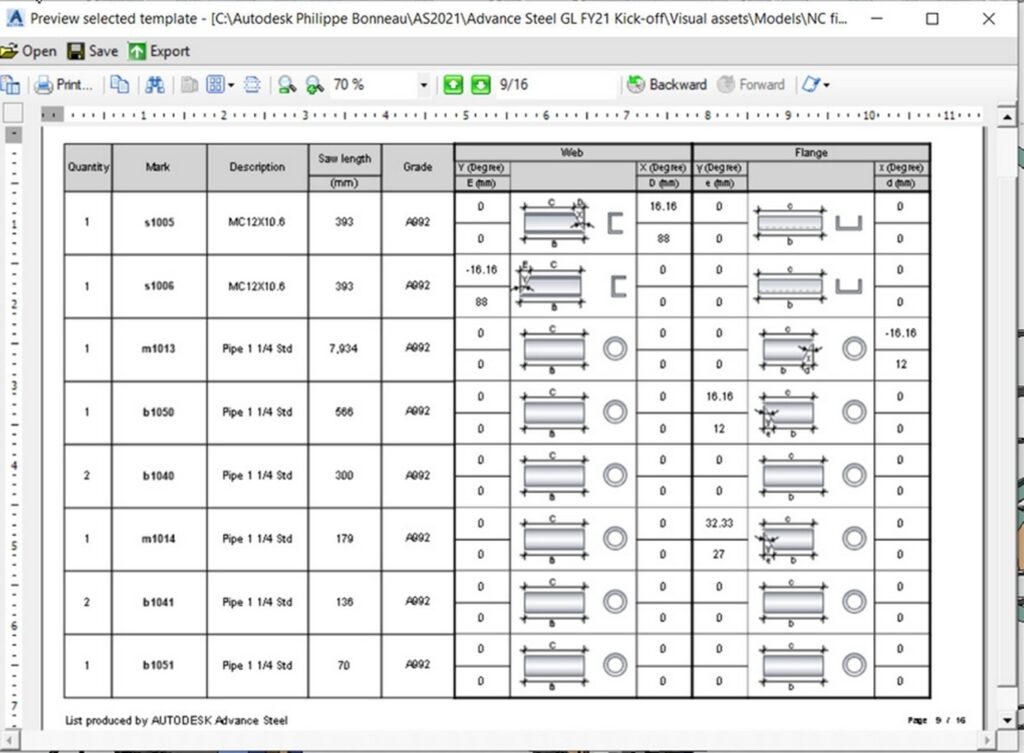
Steel Sample BOQ
For project teams managing procurement schedules, this level of coordination simplifies planning and reduces the risk of ordering incorrect quantities.
Bringing Detailing, Drawings and Quantities Together
A well-structured BIM workflow transforms steel detailing into a coordinated information process rather than a series of disconnected tasks. Autodesk Advance Steel supports that shift by linking modelling, shop drawing production, and BOQ extraction inside the same environment.
Once your detailing process follows this structure, project coordination becomes smoother. Drawings stay aligned with the model, quantity reports remain accurate, and fabrication teams receive documentation they can trust.
In practice, that consistency, coordination, accurate model detailing saves time during project delivery. Less manual correction. Fewer drawing revisions. Clearer communication between design teams and fabrication units. And for steel detailing projects, that level of clarity often makes the entire workflow far easier to manage.
Conclusion
Steel detailing is a vital component in the transformation of the structural BIM model into fabrication information. A BIM model may be said to be complete at the end of the designing stage; however, the actual value comes when detailing, drawings, and quantities are integrated in a coordinated workflow.
By integrating tools like Autodesk Advance Steel to the BIM workflow process, steel detailing can transition from being a patchwork operation into a coordinated approach, enabling true collaboration between modeling and drafting for the bill of quantities (BOQ). By leveraging this native integration, professionals can not only enjoy a more efficient steel detailing process but bring greater synergy between structural engineers with detailers and fabricators for improved accuracy, reduced errors, and faster project turnaround.
Are you looking for BIM Solutions?
BIM ASSOCIATES is your one stop BIM Solution provider for the Architecture and Structure discipline. With 15+ years of work experience in BIM projects, their team helps clients with better decision making, cost saving, efficient construction planning and green earth initiatives.
You might also like: How Shop Drawings Improve Construction: Types and Best Practices
Frequently Asked Questions
1. How can BIM ASSOCIATES support steel detailing in BIM projects?
BIM Associates can help facilitate the transition from structural BIM models to fabrication ready steel detailing models, based on the use of Autodesk Advance Steel and Autodesk Revit, to produce accurate models of connections, plates, bolts and welds, properly correlated with one another for the purposes of close collaboration with fabricators.
2. How does BIM ASSOCIATES ensure accurate shop drawings for steel fabrication?
BIM Associates uses Autodesk Advance Steel’s automated shop drawing generation capabilities. This means shop drawings are always aligned with the BIM model and any design changes are reflected in the drawings automatically. This simplifies steel member fabrication for the fabricators as they can cut, drill, and assemble the steel with precision.
3. Can BIM ASSOCIATES help with BOQ and steel quantity take-offs?
Yes, BIM Associates provides fully quantifiable BOQ and material takeoffs directly from the coordinated models developed in Autodesk Revit and Autodesk Advance Steel. These include lengths of steel members, sizes of plates, numbers of bolts, weights of steel, etc.
Ready to Transform Your Next Project with Proven BIM Expertise?
Explore how BIM ASSOCIATES is reshaping skylines and infrastructure around the world with innovative, precision-driven design. Connect with us today to discover how we can bring your vision to life- backed by global case studies, smart technology, and a track record of excellence.