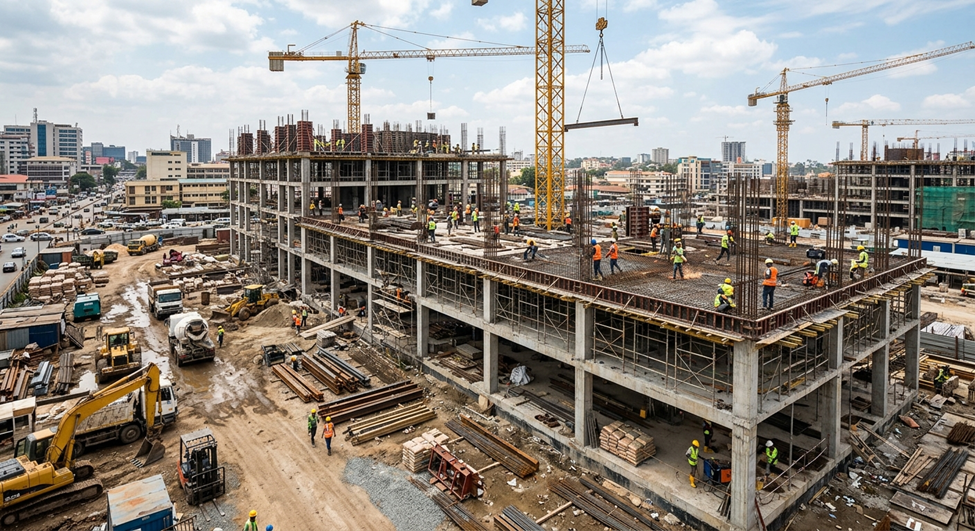
Most BIM issues do not surface during model coordination. They start earlier, when disciplines move ahead with design updates that are not fully aligned across the project.
On Autodesk Construction Cloud (or Autodesk Forma) projects, architectural, structural, and MEP teams often progress their models in parallel. By the time models are shared for review, inconsistencies are already built into the design.
Research from Autodesk and FMI shows that 14% of all construction rework is driven by bad data and miscommunication, contributing to nearly $88.69 billion in avoidable rework globally. It shows how early-stage coordination gaps directly translate into downstream cost and effort.
This is where coordination shifts from validation to correction, with teams spending time fixing misaligned decisions instead of reviewing a coordinated model.
Key Takeaways:
- BIM management only works when design collaboration and model coordination are connected through a structured workflow in Autodesk Construction Cloud
- Most coordination issues originate during early design collaboration when architectural, structural, and MEP models change without consistent cross-discipline alignment
- A controlled information flow in Autodesk Construction Cloud ensures every discipline works from the same updated model data throughout design development
- Model coordination becomes more effective when it starts after a stable design direction is established, reducing repeated clashes and design rework
- Strong BIM management practices improve predictability across the project lifecycle by reducing RFIs, avoiding version conflicts, and improving coordination outcomes
Why BIM Management Often Breaks Down Before Model Coordination Begins
Most model coordination issues don’t start during clash detection, but they start much earlier, while each discipline is still developing its own model. By the time teams bring models together, many design conflicts are already embedded in the work, which makes them harder to resolve without rework.
Here’s why BIM management breaks down before model coordination begins:
1. Design Decisions Are Made Without Enough Cross-Discipline Input
Architectural, structural, and MEP teams develop their designs on different timelines. Each team focuses on its own requirements, and updates often move forward without enough visibility across disciplines.
When that happens, design decisions start to conflict in ways that only appear later during coordination.
For example:
- Architectural layout changes affect structural grid alignment
- Structural beam revisions reduce available space for MEP routing
- Mechanical duct paths conflict with updated ceiling layouts
- Equipment relocations impact electrical and plumbing coordination
2. Independent Design Progress Creates Rework Across Disciplines
Design work continues even when teams are not actively coordinating, and each update can create changes that affect other disciplines in ways that may not be immediately noticeable.
Let’s say, moving a core wall can lead to adjustments across multiple building systems:
- Structural framing adjustments
- Mechanical duct rerouting
- Electrical distribution changes
- Fire protection layout revisions
- Ceiling coordination updates
3. Lack of Clear Model Ownership Slows Down Design Alignment
In many projects, model updates move forward without a clearly defined owner responsible for the final output of each discipline. Architects, structural engineers, and MEP teams often make updates within their own scope, but there is no single point of accountability ensuring those changes are aligned before they move forward.
One team may assume a change is already reflected in another discipline’s model, while in reality, it has not been reviewed or incorporated yet. These assumptions don’t show up immediately, but they surface later when teams start comparing models during coordination.
Without clear ownership for model accuracy at each stage, teams spend more time reconciling differences in what each discipline assumed was already approved or updated.
These breakdowns highlight the need for a more structured approach, which is where Autodesk Construction Cloud plays a key role before design collaboration starts.
How Autodesk Construction Cloud Supports a BIM Management Framework Before Design Collaboration Starts

Before architectural, structural, and MEP teams begin working on their models, the project needs a defined setup that controls how information is structured and handled from the start. Autodesk Construction Cloud helps teams put this foundation in place so every discipline begins from a consistent working environment.
1. Structuring Project Information by Discipline
Teams first organize how project data will be stored and separated across disciplines. This setup includes:
- Dedicated folders for architectural, structural, and MEP models
- Separate spaces for work-in-progress and published files
- Consistent naming rules for files and revisions
- Clear separation between draft models and issued deliverables
2. Assigning Responsibility for Model Management
Once the structure is defined, teams assign clear responsibility for how models are handled within each discipline. This avoids confusion around who controls updates or approves shared files.
At this stage, teams:
- Assign discipline-specific model publishing responsibility
- Define who can upload, review, and approve models
- Set permissions for access across project roles
- Establish accountability for maintaining model accuracy
3. Defining Rules for Model Submission and Updates
Before collaboration begins, teams agree on how model information will move through the system. This ensures updates follow a consistent path once design work starts.
This includes:
- Submitting models from internal development into the shared space in a defined way
- Applying version control rules before publishing updates
- Standardizing what information must accompany model submissions
- Establishing how updated models are issued across teams
This foundation sets up a more connected workflow where active collaboration across disciplines becomes possible during design.
How Autodesk Construction Cloud Improves Collaboration Between Design Disciplines
Autodesk Construction Cloud allows teams to collaborate through a shared model environment. Here, the updates from architecture, structure, and MEP are visible as they happen.
Here’s how Autodesk Construction Cloud supports active design collaboration:

1. Accessing the Latest Models Across All Disciplines
As teams progress, updated models are shared in a central environment so everyone works from the most recent information without relying on disconnected exchanges.
This allows teams to:
- Access updated models from all disciplines in one place
- Identify when changes have been published
- Work from the latest design versions consistently
- Avoid using outdated model files
2. Reviewing Design Changes Across Disciplines
With shared access in place, teams can review how updates in one discipline affect others while design is still evolving.
Let’s say:
- Architectural layout changes can be checked against structural systems
- Mechanical routing updates can be reviewed alongside structural constraints
- Electrical layouts can be aligned with the ceiling and lighting design
This helps teams refine designs during development instead of discovering issues later in coordination.
3. Tracking Model Updates Over Time
As design progresses, teams can clearly see how models change across iterations. This keeps visibility on design evolution across disciplines.
This includes:
- Comparing model versions across updates
- Identifying what changed in each discipline
- Reviewing design progression over multiple iterations
- Maintaining a clear history of model development
4. Connecting Feedback Directly to Model Changes
Instead of managing communication separately, teams keep feedback tied directly to the model so discussions stay grounded in design context.
This allows teams to:
- Add comments directly on model elements
- Link feedback to specific updates or changes
- Keep review discussions structured and traceable
- Ensure all teams reference the same model context
As collaboration becomes more active across disciplines, the role of model coordination becomes increasingly important within the workflow.
When Should Model Coordination Become Part of Your Autodesk Construction Cloud Workflow

Model coordination delivers value only when design teams have already started producing consistent and reviewable models across disciplines. The right timing depends on one simple condition: models should be detailed enough to reflect real design intent, and stable enough to allow meaningful cross-discipline review.
1. Start Coordination After Initial Design Direction Is Established
Model coordination should begin once architectural, structural, and MEP teams have developed a clear design direction for their systems. This typically includes:
- Structural grid and primary framing layout are defined
- Architectural layouts have moved beyond early concept changes
- MEP systems have defined routing strategies and equipment locations
- Major spatial conflicts have already been reduced within each discipline
2. Align Coordination Cycles With Model Publication Milestones
Model coordination should follow a predictable rhythm tied to model updates. A more controlled approach is to align coordination with:
- Scheduled model publication dates from each discipline
- Agreed to review Windows after each update
- Consistent checkpoints where models are compared across teams
3. Integrating Coordination into the Design Workflow
Model coordination should be integrated into the design workflow and carried out alongside model development rather than treated as a separate review step.
When coordination is integrated this way, teams can:
- Identify cross-discipline issues while the design is still flexible
- Adjust layouts before they become difficult to change
- Reduce repeated conflicts between disciplines across cycles
- Keep design decisions aligned as the project progresses
Once coordination is established as part of the workflow, now you should focus on improving how project information is managed throughout the design and construction process.
3 Ways Autodesk Construction Cloud Helps Maintain Better Information Flow from Design to Construction
In a typical project, information can become difficult to manage as it moves between different teams and project stages. Design decisions may be changed, updated, or misunderstood when information is passed from designers to construction teams.
Autodesk Construction Cloud helps reduce these gaps by keeping project information organized, connected, and easier for teams to follow throughout the project.
1. Keeping Design Intent Clear Throughout the Project
The decisions made during early design stages often influence the entire project. However, as different teams continue updating models and preparing construction documents, the original design intent can become unclear if information is not properly coordinated.
With a structured environment, teams can:
- Carry forward validated design decisions into later stages without reinterpretation
- Keep architectural, structural, and MEP intent aligned as detail increases
- Avoid reworking decisions that were already agreed upon during design development
2. Preserving a Clear Link Between Design Updates and Construction Inputs
Teams may interpret the same design differently if the supporting context is not clearly carried forward. A structured information flow helps teams:
- Maintain visibility of how design decisions evolved over time
- Connect construction documentation back to its design source
- Reduce situations where site teams question the intent behind details
3. Reducing Information Loss During Stage Transitions
Information that is clear during design can become unclear once it reaches construction if it is not properly structured. To reduce this gap, teams can:
- Keep design outputs linked to their latest approved versions
- Maintain consistent formatting and structure for project information
- Avoid re-creating or re-issuing information in disconnected formats
Better information management improves projects, but adopting Autodesk Construction Cloud can still involve some practical challenges.
Common Problems When Implementing Autodesk Construction Cloud
Autodesk Construction Cloud helps improve BIM management and coordination, but teams often face challenges when putting it into practice. Most implementation problems appear early, before teams fully settle into design collaboration and coordination workflows.
Challenges | Solutions |
Folders, naming, and file structures are set up differently, which creates confusion when models need to be shared or compared | Agree on a single project structure before model upload and standardize folders, naming rules, and revision formats across all disciplines |
Teams are unsure who uploads or issues updated models, leading to delays or missing information | Assign clear ownership for model publishing per discipline and define who uploads, reviews, and approves model releases |
Some teams update frequently, while others only publish at milestones, causing timing gaps between disciplines | Set a fixed publishing cadence so all disciplines share models on aligned schedules |
Email and external drives create multiple versions of the same model and reduce visibility | Keep all model exchange within Autodesk Construction Cloud as the single source of truth |
Disciplines progress at different speeds, making cross-discipline review inconsistent | Align model development stages and define clear readiness criteria before shared reviews |
Once these roadblocks are addressed, now you can measure the effectiveness of BIM management.
KPIs for Measuring BIM Management Success

BIM management may seem effective in daily work, but clear KPIs help teams measure how well information is shared and how quickly issues are found and resolved before construction.
KPI | What It Measures |
RFI volume during construction | Number of information requests raised on the site |
Design revision frequency | How often are models updated due to coordination or rework |
Clash resolution cycle time | Time taken to review and close coordination issues |
Model version alignment across disciplines | Whether all teams are working on the same model version |
Issue closure rate in coordination workflows | Percentage of tracked issues resolved within a review cycle |
Rework identified during construction | Amount of work corrected on site due to design conflicts |
These KPIs also point to the next step of scaling Autodesk Construction Cloud across project teams in a consistent way.
8 Best Practices for Scaling Autodesk Construction Cloud Across Project Teams
Scaling Autodesk Construction Cloud across teams requires a consistent approach to workflows, project setup, and information sharing. Without a common process, coordination becomes difficult and teams may struggle to rely on project data.
A standard workflow helps teams work more efficiently across projects while keeping models and information organized.
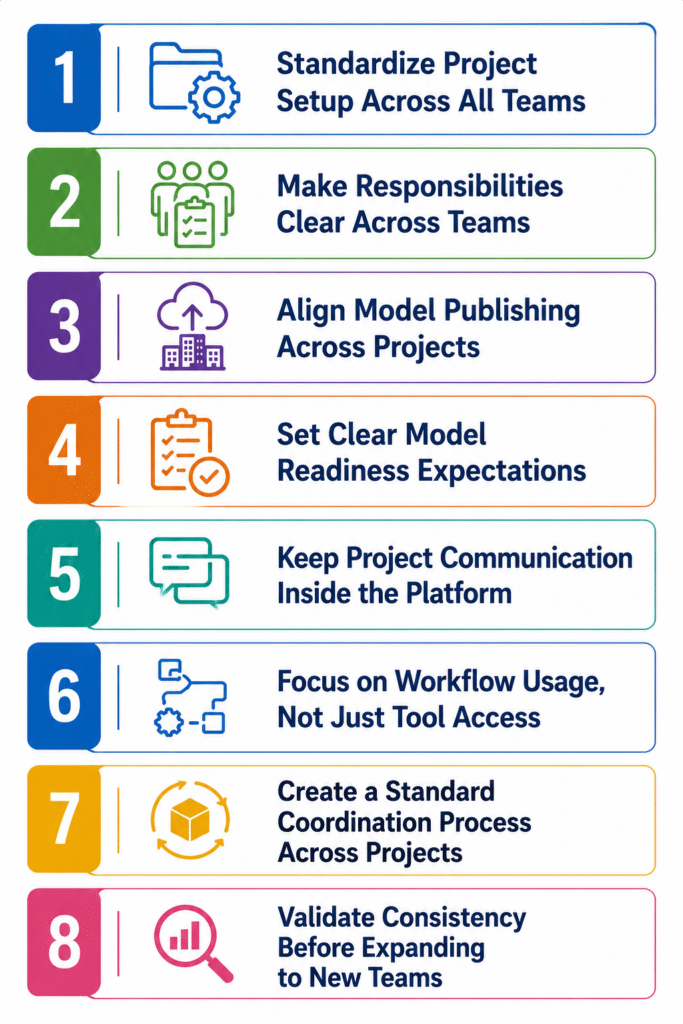
1. Standardize Project Setup Across All Teams
Every project should follow a consistent setup so teams can quickly understand where information sits and how models are organized. This reduces confusion when switching between different projects.
How to implement:
- Use clear naming standards for models, drawings, and revisions so teams can quickly identify updates and avoid confusion between disciplines.
- Establish naming conventions for models, drawings, and revisions so teams can easily track updates across disciplines without confusion
- Apply the same setup template across all projects so teams do not need to relearn the structure each time they move to a new project
- Review project setup before model uploads begin to ensure consistency across all disciplines and avoid restructuring later
2. Make Responsibilities Clear Across Teams
Model coordination becomes much smoother when each team knows who is responsible for their updates.
How to implement:
- The architecture, structural, and MEP teams should each have someone who checks changes before the model is shared with others.
- Ensure ownership is agreed upon during project setup rather than during execution to avoid delays and confusion later in the workflow
- Align responsibility with project execution plans so model management becomes part of structured delivery rather than informal coordination
3. Align Model Publishing Across Projects
Model publishing should follow a consistent rhythm so all disciplines share updated information at predictable intervals during design development.
How to implement:
- Set a fixed model publishing schedule across all disciplines, so teams work from aligned and comparable information during coordination cycles
- Synchronize update cycles between architectural, structural, and MEP teams so no discipline is working significantly ahead or behind others
- Avoid ad-hoc model sharing outside agreed publishing intervals so coordination remains structured and predictable across the project
- Communicate publishing timelines at project kickoff so all teams understand when updates will be shared and reviewed
4. Set Clear Model Readiness Expectations
Teams need a shared understanding of when a model is ready for coordination so reviews do not begin on unstable or incomplete inputs.
How to implement:
- Define clear criteria that determine when a model is ready for coordination, so teams avoid sharing incomplete or unstable design inputs
- Align readiness expectations across all disciplines so architectural, structural, and MEP models reach the review stage at the same level of maturity
- Confirm that models are stable before issuing them for coordination, so review cycles focus on real issues instead of design changes
- Document readiness requirements so all teams follow the same standard when preparing models for shared review
5. Keep Project Communication Inside the Platform
When communication happens outside the system, information becomes disconnected from the model context and harder to track during coordination.
How to implement:
- Use Autodesk Construction Cloud for all model-related communication, so feedback stays directly linked to design information
- Avoid sharing active project models through email or external drives so teams always reference the latest version within the platform
- Attach comments and feedback directly to models or issues so discussions remain tied to specific design elements
- Ensure all disciplines use the same communication space, so updates are visible across teams in real time
6. Focus on Workflow Usage, Not Just Tool Access
Scaling does not work when teams only know how to use the platform but do not apply it consistently in live project workflows.
How to implement:
- Train teams on how models move through real project stages instead of focusing only on software features and tools
- Embed model publishing and review tasks into daily project routines so platform usage becomes part of normal delivery work
- Monitor whether teams are actively using the system for updates rather than relying on external methods
- Reinforce platform usage through project execution processes so it becomes the default working environment
7. Create a Standard Coordination Process Across Projects
Coordination works better when teams follow a consistent process on every project instead of creating new workflows each time. This helps teams manage models more easily and reduces confusion during collaboration.
How to implement:
- Standardize coordination cycles so all projects follow the same review structure and timing across disciplines
- Use a consistent method for tracking and resolving coordination issues so teams do not switch between different approaches
- Maintain the same review format for architectural, structural, and MEP coordination to keep discussions structured and predictable
- Avoid project-specific variations in coordination workflows so teams can move between projects without adjustment
8. Validate Consistency Before Expanding to New Teams
Before scaling Autodesk Construction Cloud to additional teams, existing workflows must already be stable and consistently followed across current projects.
How to implement:
- Review existing project workflows to ensure all teams are following the same structure and processes without deviation
- Fix inconsistencies in setup, publishing, or coordination before onboarding additional teams into the system
- Confirm that current disciplines are aligned in how they manage models and information flow across projects
- Expand only when workflows are repeatable, so scaling does not spread existing inconsistencies to new teams
Key Takeaways:
- BIM management only works when design collaboration and model coordination are connected through a structured workflow in Autodesk Construction Cloud
- Most coordination issues originate during early design collaboration when architectural, structural, and MEP models change without consistent cross-discipline alignment
- A controlled information flow in Autodesk Construction Cloud ensures every discipline works from the same updated model data throughout design development
- Model coordination becomes more effective when it starts after a stable design direction is established, reducing repeated clashes and design rework
- Strong BIM management practices improve predictability across the project lifecycle by reducing RFIs, avoiding version conflicts, and improving coordination outcomes
Final Thoughts
In Autodesk Construction Cloud, in order to avoid coordination problems, the team must establish a working process and agree to it early on in a project. It must be clear how models are distributed, who will update them and how others will be notified of changes.
When collaboration and coordination happen together during design, teams can catch issues earlier and avoid spending extra time fixing problems later. Autodesk Construction Cloud helps support this way of working by keeping teams connected as the project develops.
Are you looking for BIM Solutions?
BIM ASSOCIATES is your one stop BIM Solution provider for the Architecture and Structure discipline. With 15+ years of work experience in BIM projects, their team helps clients with better decision making, cost saving, efficient construction planning and green earth initiatives.
You might also like: 10 Effective Steps to Conduct On-Site BIM Coordination
Frequently Asked Questions
1. What is the difference between Autodesk Construction Cloud and BIM 360?
BIM 360 was Autodesk’s earlier cloud platform for managing project information, while Autodesk Construction Cloud is the newer system that brings more connected tools for collaboration, documents, and model management. The main difference is that ACC provides a more integrated workflow instead of relying on separate processes.
2. How does BIM management reduce coordination delays in Autodesk Construction Cloud projects?
BIM management helps teams avoid delays by creating a clear way to handle model updates. When architects, structural engineers, and MEP teams follow the same process, they spend less time comparing different versions and more time solving actual design issues.
3. How does information structure affect model coordination outcomes?
Information structure directly affects coordination quality. When folders, naming rules, and version control are inconsistent, teams spend more time identifying correct models than resolving actual design issues across disciplines.
4. Why is early BIM management more important than advanced coordination tools?
Early BIM management sets the foundation for coordination. Even advanced tools cannot correct poorly structured inputs, so alignment during design collaboration has a greater impact on coordination success than tools used later.
5. How can teams improve the reliability of models shared for coordination in Autodesk Construction Cloud?
Teams improve reliability by setting clear model readiness criteria before publishing. This ensures only stable, reviewed, and discipline-aligned models move into coordination, reducing repeated design changes during review cycles.
Ready to transform your next project with proven BIM Expertise?
Explore how BIM ASSOCIATES is reshaping skylines and infrastructure around the world with innovative, precision-driven design. Connect with us today to discover how we can bring your vision to life- backed by global case studies, smart technology, and a track record of excellence.